













Wednesday, March 25, 2026
  • About
  • Advertise
  • Privacy & Policy
  • Contact
Tech News, Magazine & Review WordPress Theme 2017
  • Home
  • Best
    Which Microsoft Office is Best for Windows 10

    Which Microsoft Office is Best for Windows 10?

    Top 5 Best Video Editing Apps for Android in 2022

    Top 5 Best Video Editing Apps for Android in 2022

  • How to
    How to Make Money From Home as a Woman

    How to Make Money From Home as a Woman: 8 best ways To Make Money From Home

    Satisfactory Dedicated Server

    How to Setup a Satisfactory Dedicated Server in 2023

    How to Speed Up Your Laptop

    How to Speed Up Your Laptop: Make Your Laptop Super Fast in 2023

    Best Windows VPS Hosting

    How to Choose the Best Windows VPS Hosting for Small Business

    What is Video Editing, Benefits of Video Editing Everything you need to know

    What is Video Editing, Benefits of Video Editing Everything you need to know

    Transfer File to the Phone from the Laptop

    How to Transfer File to the Phone from the Laptop

  • Software and Tools
    • Apps
    • Applications
  • Review
    Blooket

    How To Blooket Login & Everything You Need To Know About

    Tranny Tube

    Tranny Tube: All You Need to Know

    Best Pink Mechanical Keyboard for Immersive Gaming Experience

    Top 5 Best Pink Mechanical Keyboard for Immersive Gaming Experience

    Best Rugged Phone

    Top 10 Best Rugged Phone for Outdoor Enthusiasts

    Nikon COOLPIX S33 Review: Waterproof Digital Camera (Blue)

    Nikon COOLPIX S33 Review: Waterproof Digital Camera (Blue)

  • Gaming
    Game Localization Testing

    The Impact of Game Localization Testing on Global Gaming Market

  • Computers
    How to Factory Reset an Asus Laptop

    How to Factory Reset an Asus Laptop: Most Effective Tips in 2023

    How to Speed Up a Slow Computer

    How to Speed Up a Slow Computer: A Comprehensive Guide in 2023

    Mechanical Keyboard vs Normal Keyboard

    Mechanical Keyboard vs Normal Keyboard: What is the Difference?

  • Security
    Best Doorbell Camera Without Subscription

    Best Doorbell Camera Without Subscription To Enhance Home Security

No Result
View All Result
Factontech
  • Home
  • Best
    Which Microsoft Office is Best for Windows 10

    Which Microsoft Office is Best for Windows 10?

    Top 5 Best Video Editing Apps for Android in 2022

    Top 5 Best Video Editing Apps for Android in 2022

  • How to
    How to Make Money From Home as a Woman

    How to Make Money From Home as a Woman: 8 best ways To Make Money From Home

    Satisfactory Dedicated Server

    How to Setup a Satisfactory Dedicated Server in 2023

    How to Speed Up Your Laptop

    How to Speed Up Your Laptop: Make Your Laptop Super Fast in 2023

    Best Windows VPS Hosting

    How to Choose the Best Windows VPS Hosting for Small Business

    What is Video Editing, Benefits of Video Editing Everything you need to know

    What is Video Editing, Benefits of Video Editing Everything you need to know

    Transfer File to the Phone from the Laptop

    How to Transfer File to the Phone from the Laptop

  • Software and Tools
    • Apps
    • Applications
  • Review
    Blooket

    How To Blooket Login & Everything You Need To Know About

    Tranny Tube

    Tranny Tube: All You Need to Know

    Best Pink Mechanical Keyboard for Immersive Gaming Experience

    Top 5 Best Pink Mechanical Keyboard for Immersive Gaming Experience

    Best Rugged Phone

    Top 10 Best Rugged Phone for Outdoor Enthusiasts

    Nikon COOLPIX S33 Review: Waterproof Digital Camera (Blue)

    Nikon COOLPIX S33 Review: Waterproof Digital Camera (Blue)

  • Gaming
    Game Localization Testing

    The Impact of Game Localization Testing on Global Gaming Market

  • Computers
    How to Factory Reset an Asus Laptop

    How to Factory Reset an Asus Laptop: Most Effective Tips in 2023

    How to Speed Up a Slow Computer

    How to Speed Up a Slow Computer: A Comprehensive Guide in 2023

    Mechanical Keyboard vs Normal Keyboard

    Mechanical Keyboard vs Normal Keyboard: What is the Difference?

  • Security
    Best Doorbell Camera Without Subscription

    Best Doorbell Camera Without Subscription To Enhance Home Security

No Result
View All Result
Factontech Logo
No Result
View All Result
Home Computers

Mechanical Keyboard vs Normal Keyboard: What is the Difference?

by Abdullah Al Mamun
3 years ago
in Computers
0
Mechanical Keyboard vs Normal Keyboard
476
SHARES
1.5k
VIEWS
Share on FacebookShare on Twitter

Are you willing to know the difference between Mechanical Keyboard vs Normal Keyboard? When it comes to keyboards, the choices available can be overwhelming. Among the options, two prominent contenders are mechanical keyboards and normal keyboards. While a normal keyboard is the standard membrane-based keyboard found in most households and offices, mechanical keyboards offer a distinct and satisfying typing experience.

Mechanical keyboards are revered for their tactile feedback and robust construction. They employ individual mechanical switches underneath each key, providing a noticeable click or tactile bump when pressed. This gives typists a satisfying sensation and can enhance typing speed and accuracy. Mechanical keyboards are also known for their durability, as the switches are designed to withstand millions of keystrokes.

RelatedPosts

How to Factory Reset an Asus Laptop

How to Factory Reset an Asus Laptop: Most Effective Tips in 2023

March 1, 2024
How to Speed Up a Slow Computer

How to Speed Up a Slow Computer: A Comprehensive Guide in 2023

June 17, 2023
Load More

On the other hand, normal keyboards use a rubber dome or membrane mechanism, which requires less force to press the keys. These keyboards are often quieter and less expensive than their mechanical counterparts. They are widely available and suitable for everyday use, offering a familiar typing experience that many users find comfortable.

In this article, I’ll explore the differences between mechanical keyboards vs normal keyboards, delving into their unique features, advantages, and considerations. By understanding the distinctions, you can make an informed decision about which keyboard type best suits your needs and preferences. So, let’s dive in and compare mechanical keyboards and normal keyboards to find the perfect fit for you.

What Is A Mechanical Keyboard?

The mechanical keyboard is the next revolution in computing, and this keyboard is an upper-quality keyboard with key switches. Surprisingly, they were almost always close, even dating the now-famous IBM Model M. They have revived popularity in recent years, reaching audiences from technology professionals to gaming enthusiasts. Mechanical keyboards feel more comfortable to use than other keyboards. The mechanical keyboard is unique from other keyboards because it uses a mechanical key switch.
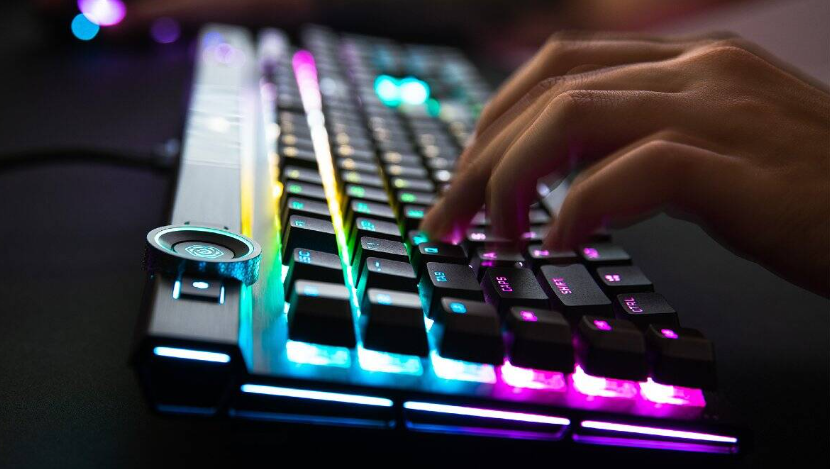
Mechanical Keyboard

These Mechanical key switches can be customized to suit the application. A mechanical gaming keyboard is much more advanced than other keyboards in terms of the switch, framing, print method, PCB board, key construction, LED lighting, and other features. Modern mechanical keyboards use engineered high-performance switches that help snatch typing strings and provide tactile and audio signals that allow type faster and more efficiently. The only cons are that going back to a cheap keyboard after using a mechanical keyboard will feel like torture.

How Does Mechanical Keyboard Work? 

Mechanical keyboards are completely different from other keyboards. Its keys turn off a spring-loaded switch and once pressed, you will feel a different click. That is, when you press the key, there is no need to make a second guess about whether a press has actually succeeded. The switches on these keyboards are usually classified as tactile or linear.
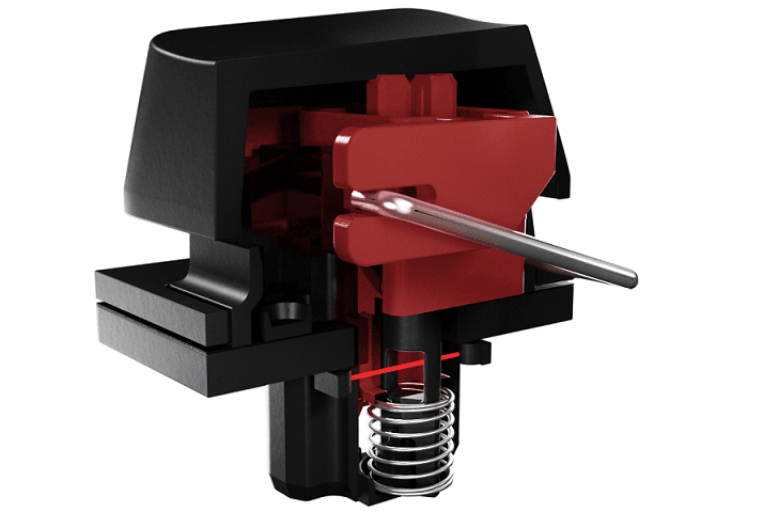
Mechanical Keyboard Work

The linear switch needs to be kept fully pressed while the sensitive switches are activated about halfway down, that’s means this keyboard is activated more speedily with less typing effort. Mechanical gaming keyboard assist in typing quickly by identifying each keypress with a single click that can feel and usually hear. On mechanical keyboards, it is possible to type quickly with minimal errors.


You May Also Like To Read: How to Speed Up Your Laptop

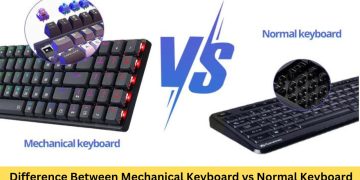
Mechanical Keyboard vs Normal Keyboard


Mechanical Keyboard vs Normal Keyboard Official Image

By comparing Mechanical Keyboard vs Normal Keyboard or Regular Keyboard, we can understand the advantages and disadvantages of Mechanical Keyboard.

Key Technology
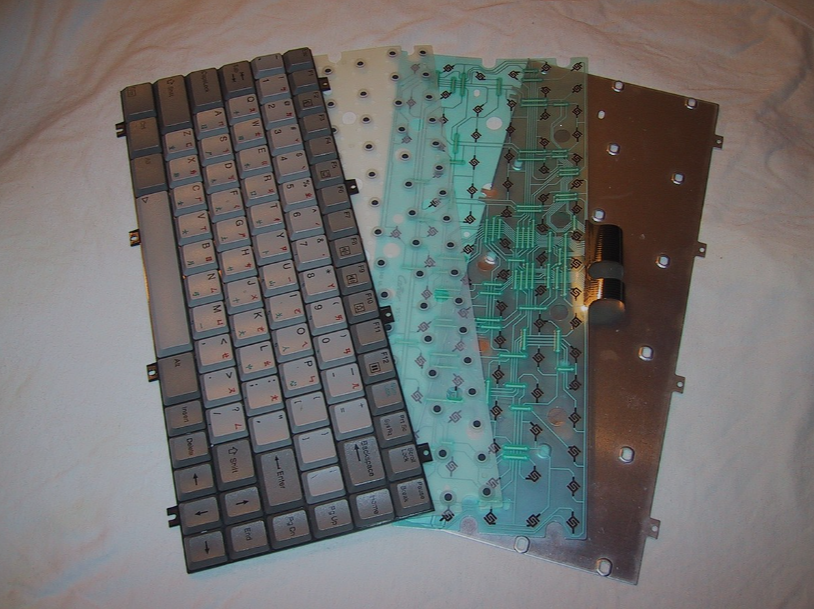
Key Technology

The mechanical keyboard uses a mechanical key-switch that is placed under each key. This switch is triggered when the user presses the key to quickly return it to its actual position before bouncing back. But the other keyboards use a rubber dome or membrane for frustration and recording. It is the usual type of keyboard as it is easy to produce and cheap.

Durability

Durability Official


Mechanical keyboard switches are used to ensure the mechanical keyboard is durable, which has been proven to be stable. Mechanical keyboards use metal at points with the ability to withstand 50 million key presses. However, the sticky keys and rubber domes used on other keyboards allow ordinary keyboards to be easily reduced.

Feels

Feels

The rubber dome beneath the ordinary keyboard keys offers resistance to pressure, giving it a great feeling. The problem with mechanical keyboard switches is that they generate a sound when clicked; although some people find the feeling pleasant, it cannot be delightful to you.

Typing experience
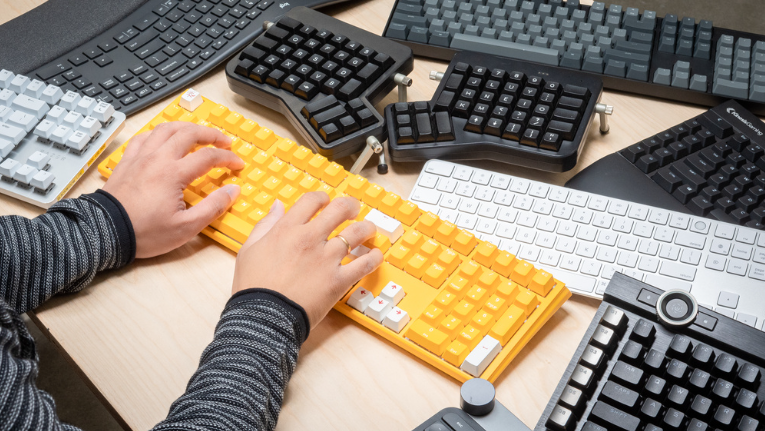
Typing experience

Mechanical keyboards allow you to type faster and more accurately than ordinary PC keyboards. It’s durable, customizable, easy to maintain, and lets you press more keys at once. However, this keyboard is more expensive than ordinary keyboards, which are difficult and instantly exhausting.

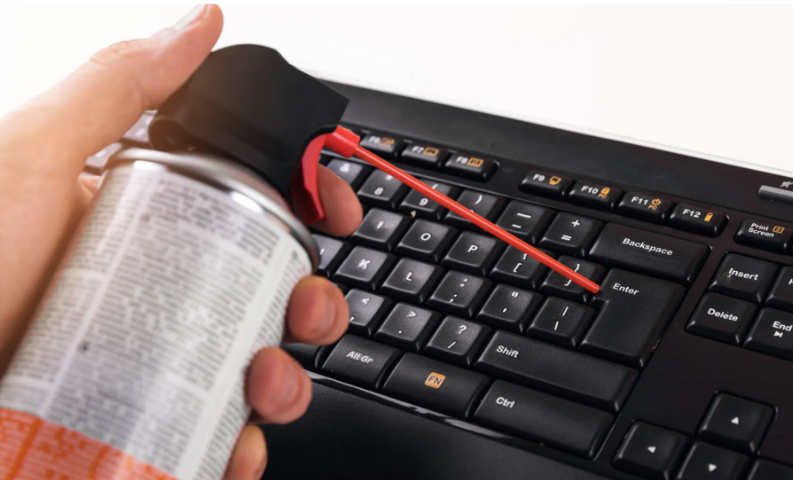
Maintenance
Maintenance

Ordinary keyboards are extremely sensitive to dirt due to sticky rubber and are very difficult to remove and clean. Mechanical keyboards are easy to clean because its switches and flat plastic take no time to clean and reconnect.

Final Thought

There are many options for a keyboard as input hardware, one of which is the mechanical keyboard. Although it is a relatively expensive keyboard, you can use the mechanical keyboard for gaming as well as other purposes. If you’re looking to improve your typing speed or accuracy, you might want to check out a mechanical keyboard.

Read also: click here

Tags: Mechanical KeyboardMechanical Keyboard vs Normal KeyboardNormal Keyboard
Share190Tweet119Share48
Abdullah Al Mamun

Abdullah Al Mamun

Professional Content Writer and I like to share update news and products review. Passionate about writing engaging content & optimizing it for maximum visibility.

Related Posts

How to Factory Reset an Asus Laptop
Computers

How to Factory Reset an Asus Laptop: Most Effective Tips in 2023

March 1, 2024
How to Speed Up a Slow Computer
Computers

How to Speed Up a Slow Computer: A Comprehensive Guide in 2023

June 17, 2023
Next Post
How to Get Your Phone to Charge Faster

How to Get Your Phone to Charge Faster: Effective Tips in 2023

How to Speed Up a Slow Computer

How to Speed Up a Slow Computer: A Comprehensive Guide in 2023

Leave a Reply Cancel reply

Your email address will not be published. Required fields are marked *

Latest Posts

Is CapCut safe for kids

“Is CapCut safe for kids? A Complete Parent’s Guide to App Privacy and Content Safety”

May 18, 2025
Software ralbel28.2.5 issue

Software ralbel28.2.5 issue: How Can You Resolve Errors?

March 9, 2025
CNC Punching

How Does CNC Punching Work in Sheet Metal Fabrication?

January 12, 2025
CNC Machining Stainless Steel

What Are the Costs of CNC Machining Stainless Steel?

January 6, 2025
FURNITURE ON CUSTOMER DINING

IMPACT OF FURNITURE ON CUSTOMER DINING

August 8, 2024
Appearance Inspection Machine

Enhance Quality Control with the Appearance Inspection Machine from SZJ Automation

May 20, 2024

Latest Categories

  • Apps
  • Automobile
  • Best
  • Bio
  • Business
  • Camera
  • Computers
  • Domain and Hosting
  • Furniture
  • Gaming
  • Gear
  • How to
  • Learning
  • Microsoft
  • Review
  • Security
  • Smartphone
  • Social Media status
  • Software and Tools
  • Technology
  • Uncategorized
  • Windows
Factontech

Follow Us

Categories

  • Apps
  • Automobile
  • Best
  • Bio
  • Business
  • Camera
  • Computers
  • Domain and Hosting
  • Furniture
  • Gaming
  • Gear
  • How to
  • Learning
  • Microsoft
  • Review
  • Security
  • Smartphone
  • Social Media status
  • Software and Tools
  • Technology
  • Uncategorized
  • Windows

Recent Comments

    Recent News

    Is CapCut safe for kids

    “Is CapCut safe for kids? A Complete Parent’s Guide to App Privacy and Content Safety”

    May 18, 2025
    Software ralbel28.2.5 issue

    Software ralbel28.2.5 issue: How Can You Resolve Errors?

    March 9, 2025
    • About
    • Advertise
    • Privacy & Policy
    • Contact

    © 2022 Factontech.com

    No Result
    View All Result
    • Home
    • Review
    • Apple
    • Applications
    • Computers
    • Gaming
    • Gear
      • Audio
      • Smartphone
    • Microsoft
    • Photography
    • Security

    © 2022 Factontech.com