












Gaming has emerged as a significant recreational pursuit for countless individuals, and laptops or PCs offer an additional dimension and alternative for gaming enthusiasts. A crucial tool in this realm is the keyboard, and gaming keyboards are specifically designed to cater to PC gaming needs.
Much like other products, gaming keyboards come in various shapes and types. If you desire swift responsiveness from your gaming gear, incorporating a mechanical keyboard into your computer setup can prove invaluable.


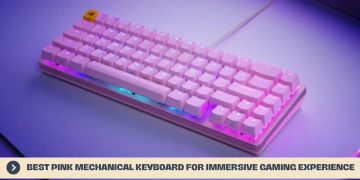
Mechanical keyboards offer precise and minimal key presses, providing sensitive feedback that can make a tangible difference in gaming, even down to counting milliseconds. The pink mechanical keyboard, among others, boasts unique features that empower gamers to elevate their gaming performance in most scenarios.
Pink Mechanical Gaming Keyboard and Mouse Combo
The Pink Mechanical Keyboard with Mouse is an ideal pairing for both intense gaming sessions and office work. With its ergonomic design, this keyboard and mouse set ensures comfort during prolonged use. The keyboard boasts exceptional build quality and delivers high performance, making it an excellent choice for any user.
Featuring backlit keys, this keyboard offers enhanced comfort and visibility. It provides a customizable red lighting mode, allowing you to choose from 24 different backlit options. Additionally, the keyboard offers four levels of backlight brightness and four breathing speeds, ensuring a stunning visual experience no matter which profile you select.
Designed with space-saving in mind, the Compact 87-keys layout frees up valuable workspace. This pink computer keyboard is crafted to meet the demands of both gaming and office tasks, making it a versatile tool for various needs. Its sturdy build quality ensures durability and eliminates any flex or unnecessary noise when typing. The top stabilizer ensures that even the larger keys produce minimal sound at any speed. Furthermore, the inclusion of 12 multimedia keys enhances productivity by providing quick and easy access to essential functions like email and other control tasks.
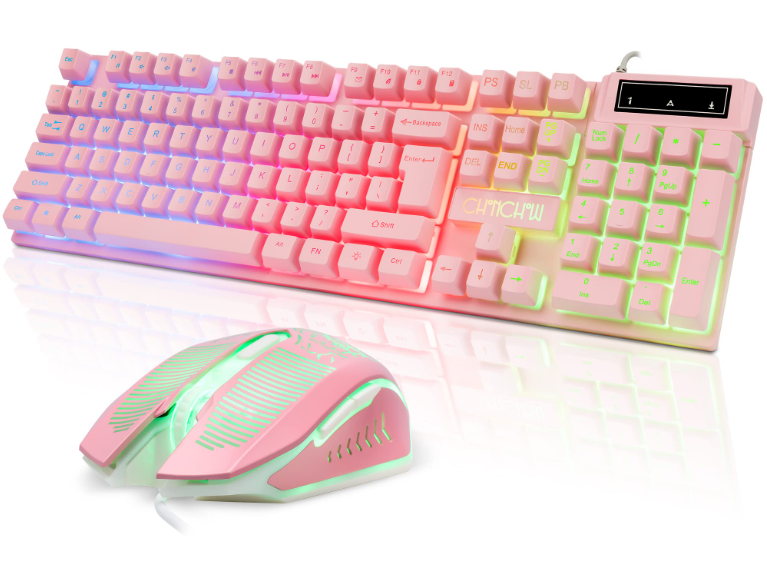
Now, turning to the mouse in this combo set, the Pink Mechanical Keyboard and Mouse Combo includes a 7-button programmable mouse. Designed specifically for gaming, this mouse features 6 adjustable DPI layers, allowing for precise control and responsiveness.
This gaming keyboard and mouse combo is compatible with Windows 10, Windows 8, Windows 7, as well as other versions and Mac OS keyboards. It can be easily connected using a USB cable, ensuring a seamless experience for users.
In summary, the Pink Mechanical Keyboard with Mouse combo offers a winning combination of ergonomic design, customizable lighting, sturdy build quality, and enhanced productivity features. With its exceptional performance and compatibility across different platforms, it is a great choice for gamers and office workers alike.
Pink Gaming Keyboard USB Wired Keyboard
The MageGee Pink Gaming USB Wired Keyboard is a full-sized keyboard that offers exceptional performance at an affordable price point. This keyboard features a charming light pink hue and convenient plug-and-play functionality through its wired USB connection. As a result, it can be easily used anywhere without requiring any additional drivers.
The wired gaming keyboard is equipped with 6 single-color light modes that can be effortlessly switched between. By using the Fn + Tab keystroke combination, you can adjust the brightness levels, providing customizable lighting options. Additionally, the backlighting will automatically turn off after 10 minutes of inactivity. Ergonomically designed, this backlit keyboard ensures comfortable typing experiences.
With its impressive 104-key layout and 19 anti-ghosting keys, this keyboard allows for seamless and precise input during intense gaming sessions. It also incorporates 10 multi-function keys, granting instant access to commonly used software such as email, music, web browsers, and other multimedia applications.
Furthermore, the key switches of this keyboard utilize a light-based speed mechanism, enabling lightning-fast and highly responsive key presses. The mechanical switches deliver satisfying tactile feedback with each press, while stabilizer bars ensure balanced and precise keystrokes.
In terms of durability, this pink gaming keyboard is built to withstand extended periods of use. If you opt for this pink computer keyboard, you can be confident in its long-lasting performance. The MageGee New Pink USB Wired Keyboard features a premium appearance and backlighting, making it compatible with any version of Windows, Mac, and Linux. Its quality and functionality make it a desirable gaming tool, particularly for professional streamers.
AULA F2088 Pink Mechanical Gaming Keyboard
The AULA F2088 is a compact and sleek full-sized keyboard, featuring 104 keys with a minimalist design. Located in the upper right corner is an additional metal knob that controls the LED lights on the keyboard. Furthermore, three extra macro keys can be customized and used as a volume control knob.
When illuminated, the AULA F2088 showcases a delightful appearance. This pink keyboard offers an impressive selection of 22 lighting effects, allowing you to adjust the brightness and breathing patterns to your liking. Each keycap is luminous, enabling you to easily navigate and enjoy your gaming experience even in low-light settings.
It’s worth noting that the white LED with the pink switch version does not feature the CherryMX switch, but rather AULA’s own mechanical switch variant. These switches provide a slightly different tactile feel and produce a louder sound compared to the “law version.”
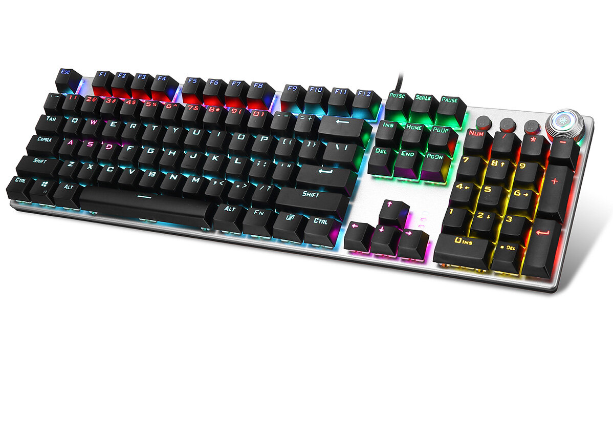
In terms of durability and quality, the AULA F2088 stands strong and performs admirably against other gaming keyboards. While the overall build quality is decent, the keyboard’s minimal profile results in keys being somewhat crowded. Despite this, the keyboard features two palm rests to provide a smoother typing experience. Even with the palm rests in place, the keys still have a height equivalent to one finger.
In essence, the AULA F2088 offers an unconventional ergonomic design that may take some getting used to. It’s not necessarily a negative aspect, but rather a unique characteristic. The switches are easy to clean, particularly in open spaces. Equipped with a game-level dual-core IC chip, this keyboard boasts excellent responsiveness, accuracy, and strategic input, while delivering a satisfying “click” sound.
You May Also Like To Read: Best Rugged Phone
HUO JI E-Yooso Z-88 Pink Mechanical Gaming Keyboard
The HUO JI E-Yooso Z-88 mechanical gaming keyboard takes customization to a new level with its upgraded Outemu switches. Its compact size makes it perfect for saving space and convenient for on-the-go use.
The HUO JI E-Yooso Z-88 pink keyboard offers a compact yet customizable switch and RGB backlight, all at a reasonable price. Its sleek frame adds to its appeal. What sets the HUO JI E-Yooso Z-88 apart is its use of Outemu mechanical switches, which provide a unique alternative to the more common Cherry MX Blue or MX Speed switches.
The Outemu switches come in various colors such as pink, blue, red, brown, and black. With anti-ghosting technology and 81 keys, this keyboard allows for high-speed input with multiple keys pressed simultaneously, including N-key rollovers. Each key is independently regulated by a switch, ensuring quick response and optimal performance during intense gaming sessions.
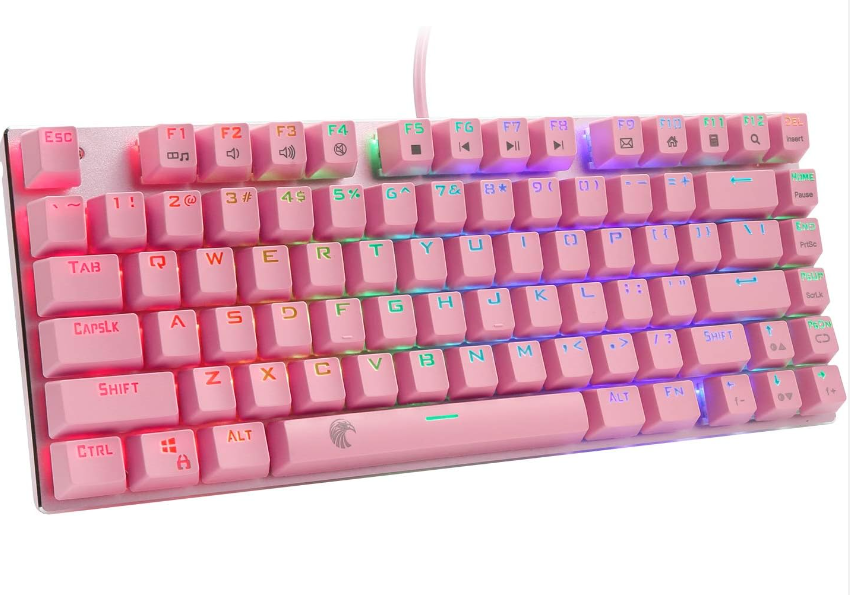
Additionally, the HUO JI E-Yooso Z-88 offers five extra switches in case of any damage during the purchase of e-element Z-6 nets. The pink mechanical keyboard features LED-backlit RGB lighting with 14 different backlight modes, and you can directly customize the lighting effects from the keyboard itself.
The petite size and ergonomic design of the HUO JI E-Yooso Z-88 mechanical keyboard are accentuated by its light shades. The vibrant pink color adds an attractive and sporty flair to the keyboard’s appearance.
When it comes to tactile experience, the HUO JI E-Yooso Z-88 pink gaming keyboard offers comfortable and responsive switches that produce a satisfying and crisp sound with each keystroke. Despite its small size, the keyboard feels substantial and sturdy, thanks to its aluminum backplate, which ensures stability even during intense gaming or typing sessions.
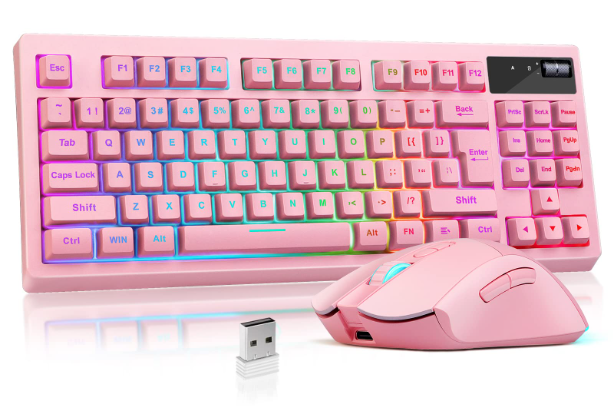
Waterproof Pink Wireless Keyboard with Gaming Mouse
Wireless Keyboard 2.4GHz Waterproof Pink Wireless Keyboard Mouse Combo, 108 Round Kickups Suitable for work or gaming. Although it comes with the Nano receiver, the included wireless receiver can be installed automatically by plugging in the computer’s USB port.
This keyword-mouse combo does not have a lengthy installation process to reduce performance. This Wireless Pink Mechanical Keyboard Combo is a kind of combo that uses a wireless 2.4HGz connection for uninterrupted and hassle-free use.
The 2.4 GHz radio signal provides a wide range of 26-foot connections that allow you to work remotely with a PC or laptop. A small nano-receiver connects both the mouse and the keyboard. The high-speed rate enables the combo to ensure their stable and smooth transition without a frameskip without delay, thus enhancing your typing experience.
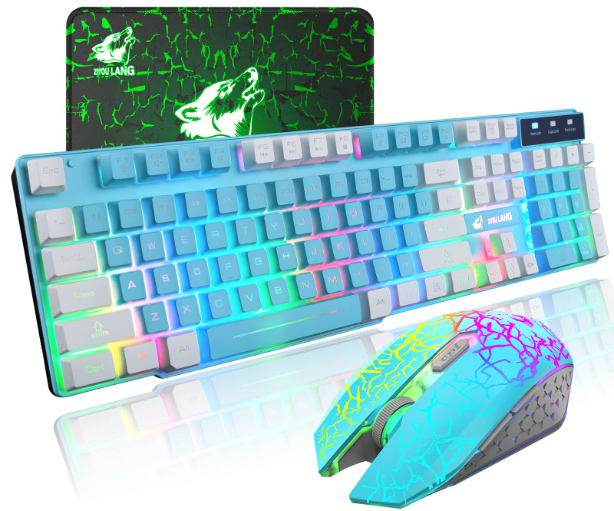
This combo pack includes a low-profile F-key and a full-size keyboard with a number pad. This keyboard has been made comfortable for typing and convenient and easy to use for gaming.
The mouse included in this combo is provided with 3 adjustable levels of DPI to adjust the sensitivity of the mouse to meet your several needs. Enjoy the comfort of your hands all day long for smooth, accurate tracking. There is also a storage bogie for the wireless receiver to stay safe at hand when you go.
The keyboard is equipped with a rechargeable lithium-ion battery to provide a power supply. This battery gives an incredible 90 hours of work time, about 2 hours on a single charge, and the mouse uses a 2XAA battery. This product can be easily used with Windows 10 if we discuss compatibility.
Final Thought
Overall, these top pink machinical keyboards above help make your gaming performance even better and non-stop. In addition to gaming, they work great for typing and fit in the workplace. Budget, design, backlight, etc., can have a wide choice for your consideration. Hopefully, this article can help you make a better buying decision.
Read also: click here